Musiikki Cue Sheet

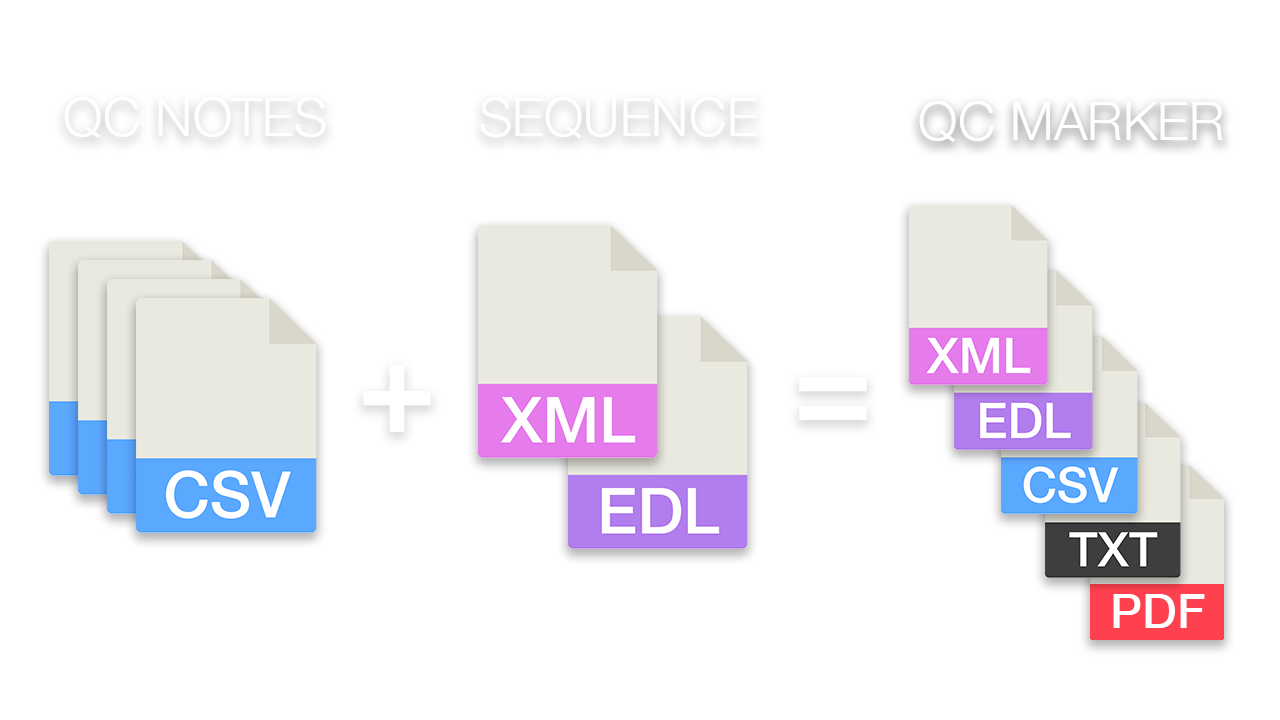
Luo muokkaussekvenssistäsi puhdas musiikin cue sheet, jossa on aikakoodit, kestot ja raidan metatiedot. Lataa XML- tai EDL-tiedosto ja luo CSV-, XLSX-, PDF-, TXT- tai muissa muodoissa käytettäväksi Google Sheets-, Microsoft Excel-, Apple Numbers- ja muissa vastaavissa ohjelmissa.

Framerate
Vie
Esiasetukset
Warning! This preset only works for XLSX (Excel) exports.
Frame handles

Choose the music libraries that you want to check for more metadata:


käynnissä...

We created this tool to save you time!

30.000+

cue sheets created

1.500.000+

audio clips processed

15.000.000+

track metadata records

Mitä tämä työkalu tekee?

Cue Sheet Generator luo nopeasti yksinkertaisen luettelon kaikista projektissasi käytetyistä musiikkiraidoista. Työkalu voi lukea sekvenssejä Media Composerista, Premiere Prosta, Resolvesta ja Final Cut Prosta. Se yhdistää useita raitoja ja poistaa näkymättömät leikkaukset, jotta saat siistin luettelon. Tiedostonimien perusteella cue sheetiin voidaan myös lisätä automaattisesti musiikkiraitojen metatiedot, jos ne ovat peräisin jostakin kumppanikirjastostamme. Vientiä voidaan mukauttaa esiasetusten avulla ja se voidaan viedä moniin eri muotoihin, kuten CSV, XLSX ja PDF.

Mitä tiedostomuotoja voin ladata?

  • EDL - Edit Decision List (.edl)
  • XML - Final Cut 7 XML (.xml)
  • XML - Extensible Markup Language (.xml) (Avid Media Composer)
  • TXT - Avid Pro Tools TXT -> Istuntotiedot tekstinä (.txt).
  • FCPXML - Final Cut Pro X (.fcpxml)
  • CSV (comma or semicolon separated) (.csv)
  • AAF - Advanced Authoring Format (.aaf) → only in our Cue Sheet Manager for Pro Users

Scan production music libraries for metadata

By partnering with over 20 production music libraries, the tool is able to automatically pull metadata for tracks from these libraries. The metadata contains not only the track name and artist but also details about the label, publisher, composer details, and shares. Please note that the available metadata depends on the library.

Tutustu kanssamme yhteistyötä tekevien kirjastojen musiikkiin ja helpota työtäsi käyttämällä näiden kirjastojen kappaleita.


Puuttuuko sinulta kirjasto tai työskenteletkö musiikkikirjastossa? Ota yhteyttä ja ryhdy kumppaniksi, jotta asiakkaasi voivat hyötyä työkalustamme. Kumppaniksi liittyminen on yksinkertainen ja mutkaton prosessi.

Metatiedot lisätään käyttämällä tiedostonimiä. Varmistaaksesi, että kaikki kappaleet tunnistetaan, älä nimeä tiedostoja uudelleen lataamisen jälkeen. Emme ota oikeudellista vastuuta tietojen oikeellisuudesta. Sinun on itse tarkistettava cue sheetin oikeellisuus.
The workflow in detail

Learn how this cue sheet tool works.

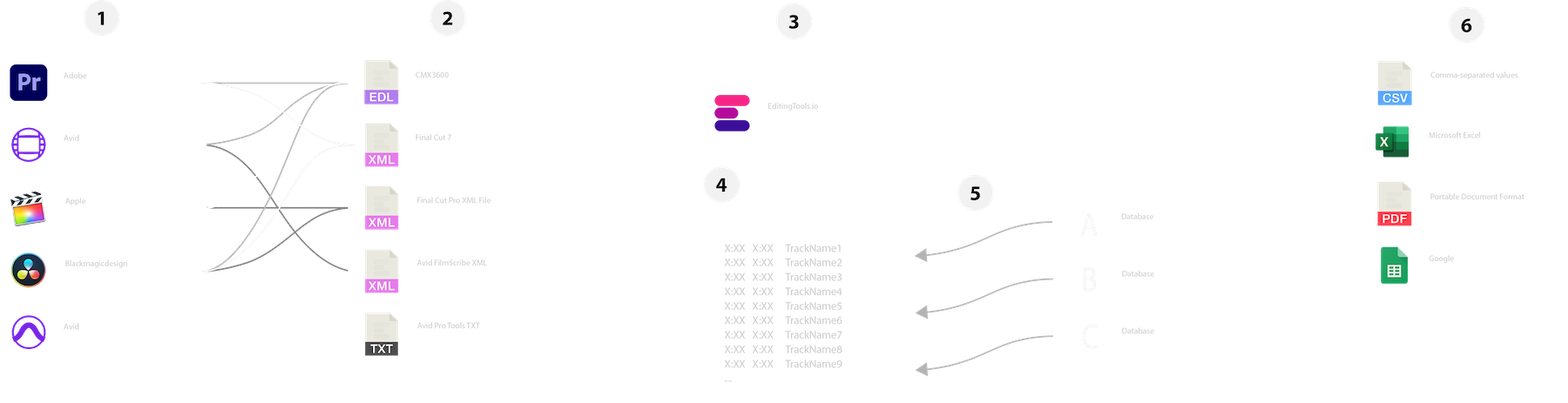
There are 6 simple steps you can follow to get the best workflow results:

  1. Prepare the sequence for which you want to create a cue sheet. It is best to make a copy and clean up the tracks, removing clips that do not belong there. It is a good idea to collect all the cues on 2 or 3 tracks and export only those tracks.
  2. Depending on the software you are using, you can export an EDL, XML or ProTools Session TXT. If you are using Adobe Premiere Pro or DaVinci Resolve, we recommend that you export a Final Cut 7 XML.
  3. Upload your sequence to our Music Cue Sheet Tool and choose your desired settings. The tool will analyze your sequence and create a sorted track list.
  4. The track list calculates the duration of each clip. Depending on your settings, similar clips are grouped together.
  5. If you enable the "Include metadata from music libraries" option and select the libraries from which you used music, the tool will check for additional metadata in those libraries. The information is pulled from data provided directly by our library partners via API or shared database. This includes information about the music album, the composer and artist up to library codes and label names.
  6. Once all the information is collected, it is exported to the file format of your choice. The recommended export format is CSV, which contains all the data you need and can be easily edited using Excel, Numbers, or Google Sheets.

Valmistele sekvenssi

Ennen sekvenssin lataamista on suositeltavaa valmistella se nopeasti. Paras tapa tehdä se on kopioida sekvenssi ja poistaa kaikki tarpeettomat ääni- ja videoraidat, joita et halua cue sheetissäsi olevan. On myös tärkeää tasoittaa kaikki raidat, jos käytät käärittyjä tai sisäkkäisiä äänileikkeitä. Poista myös "Audio Transitions Effects", jos työkalu ei toimi.

Yhdistä päällekkäiset identtiset leikkeet

Kun tämä vaihtoehto on käytössä, sekvenssissä useampaan osaan leikatut leikkeet yhdistetään automaattisesti yhdeksi merkinnäksi, kunhan niiden välillä ei ole taukoa. Jos työkalu löytää saman leikkeen useammalta raidalta, myös ne yhdistetään ja näytetään yhtenä merkintänä.

Etsi ja yhdistä identtisiä leikkeitä kehyskahvojen avulla.

Tällä vaihtoehdolla voit yhdistää leikkeet, vaikka niiden välillä olisi väli. Voit määritellä 1-500 kuvan kattavan alueen. Jos työkalu löytää saman leikkeen useammalta raidalta, myös ne yhdistetään ja näytetään yhtenä merkintänä.

Esiasetukset

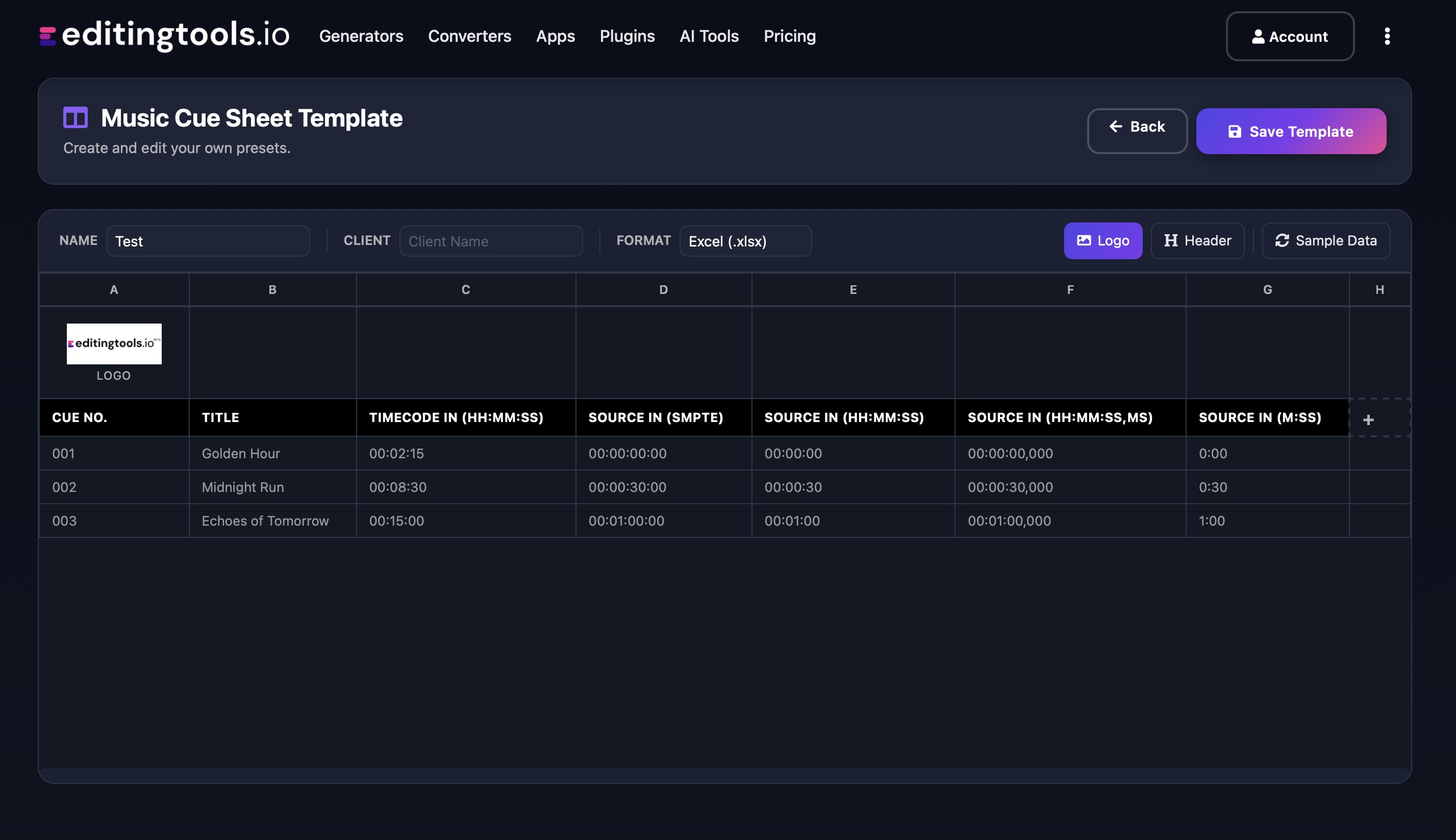
Voit mukauttaa vientitiedostojen sarakkeita. Voit valita useista julkisista malleista tai luoda oman esiasetuksen painamalla "+"-merkkiä. Aikakoodien, pituuksien ja yksittäisten metatietojen näyttämiseen on lukemattomia mahdollisuuksia. Tallentaaksesi esiasetuksia sinun on oltava kirjautuneena sisään.

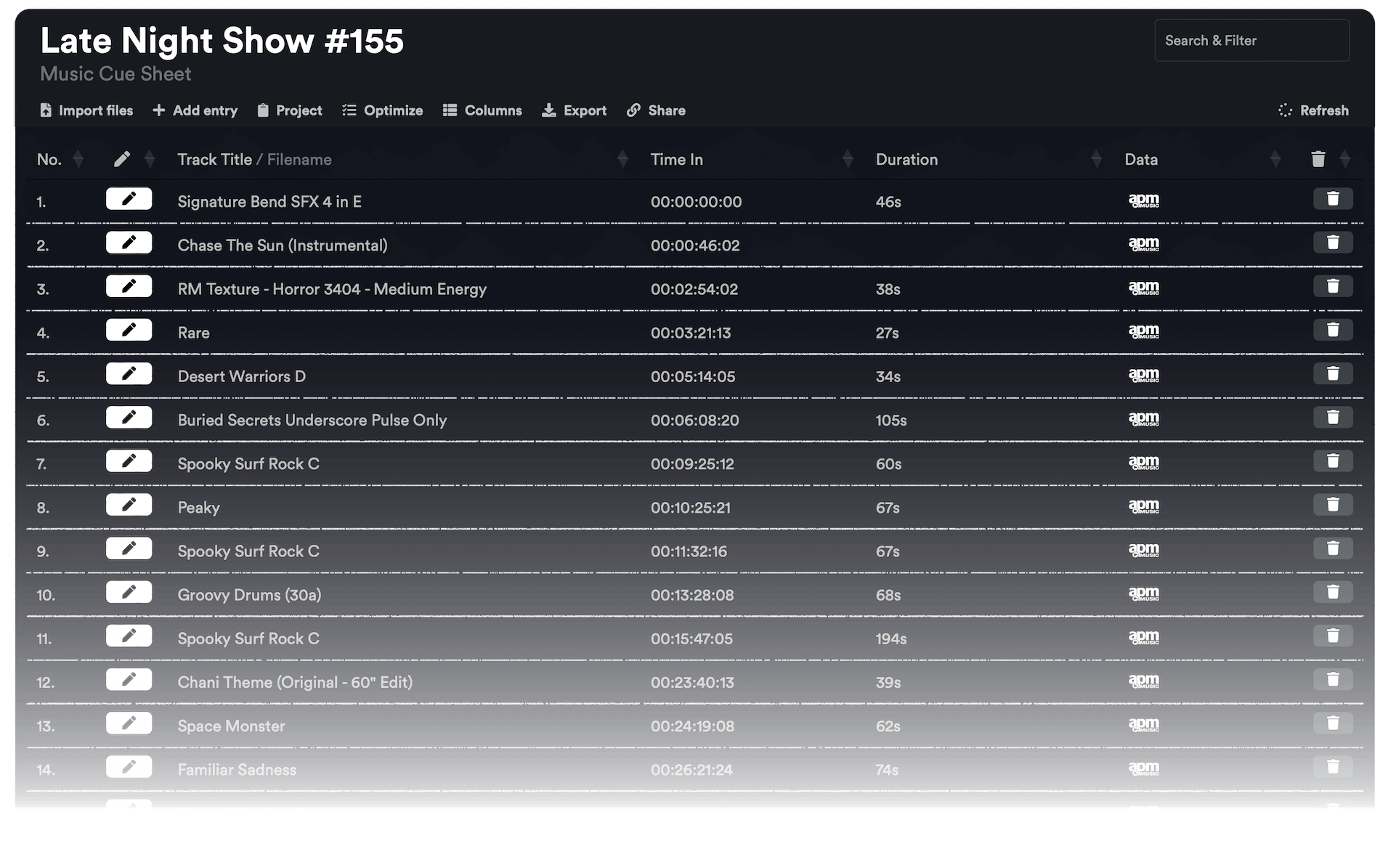
Need more? Check out our Music Cue Sheet Manager.

Key Features

  • Compatible with Media Composer, Pro Tools, Premiere Pro, Resolve, FCP and other editing software.
  • Merge tracks and remove invisible cuts automatically
  • Auto-fill metadata for over 15M+ tracks from 20+ partner libraries
  • Build and integrate your own metadata database
  • Customizable exports (CSV, Excel, CISAC & APRA)

Add metadata to your personal EditingTools database or library

Our tool supports a list of default values that can be added to the search database, which are explained below. Not all values are mandatory. Additional columns are possible.

NameTypeDescription
file_nameString (max. 200 characters)Filename up to 200 characters. If a filename is longer, it is truncated. If there are several variations of a file name, they can be listed in a column file_name_2, file_name_3, ...
track_titleString (max. 200 characters)Name of track
track_numberIntTrack number within the album.
track_durationIntTrack duration in seconds.
track_codeString (max. 100 characters)Optional track code (can include numbers and letters).
track_idIntA unique database track ID, must be numeric. Optional.
artistString (max. 200 characters)This is an optional artist name. If this value is empty, most cue sheets will automatically use the composer's values.
composerString (max. 200 characters)Composer Name. Multiple composers can be separated by a semicolon, e.g. "John Doe; John Smith".
composer_societyString (max. 200 characters)Name of the Composer Society. If a track has multiple composers, use semicolons to separate the societies.
composer_numberString (max. 200 characters)Number of the Composer. If a track has multiple composers, use semicolons to separate the number.
composer_shareString (max. 200 characters)Share of the Composer. If a track has multiple composers, use semicolons to separate the shares. Value between 1 and 100.
ownerString (max. 200 characters)
publisher
publisher_name
String (max. 200 characters)Publisher Name. Multiple publishers can be separated by a semicolon, e.g. "Pub1;Pub2".
publisher_societyString (max. 200 characters)Name of the Publisher Society. If a track has multiple publishers, use semicolons to separate the societies.
publisher_numberString (max. 200 characters)Number of the Publisher. If a track has multiple publishers, use semicolons to separate the number.
album_titleString (max. 200 characters)
album_catalog_numberInt
album_catalog_codeString (max. 200 characters)
album_release_dateDate (YYYY-MM-DD)Album release date. Leave blank if unknown.
album_disk_numberIntOptional disk number of the album.
album_total_discsString (max. 200 characters)Total number of disks in an album.
label_nameString (max. 200 characters)Name of the label.
label_codeIntLabel code, without "LC".
isrcString (max. 100 characters)
iswcString (max. 100 characters)
eanString (max. 100 characters)
upcString (max. 100 characters)
gemaString (max. 100 characters)
catalog_nameString (max. 200 characters)Name of the catalog/library the track is in.
bpmInt
genreString (max. 200 characters)

Pikaoppaat

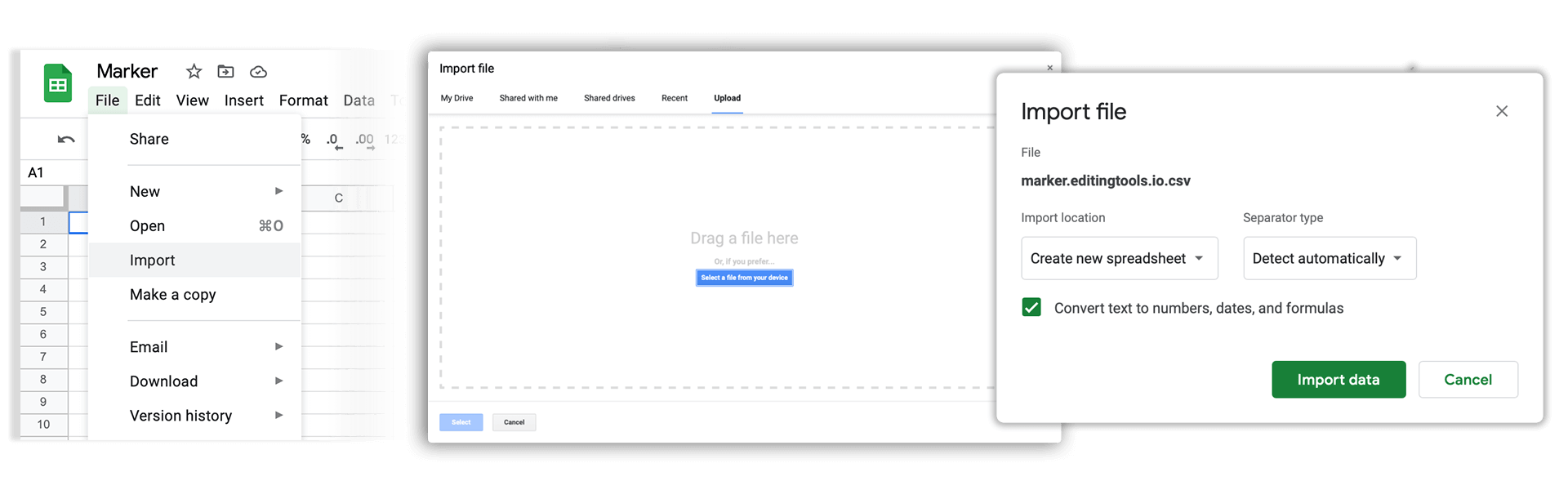
How do I import a csv file into Google Sheets?

Open Google Sheets and go to "File → Import". Upload the generated CSV file and press "Import Data" to generate a Sheet.

How do I import a csv file into Apple Numbers?

Open Numbers and go to "File → Open". Simply open the CSV file.

Tuki

Jos sinulla on kysyttävää tai ominaisuuspyyntöjä, ota yhteyttä tukitiimiimme. Autamme sinua mielellämme!

FAQ

No, you still need to send out the final cue sheet. This tool will only help you to create them more quickly.

In order to upload AAF files, you will need a PRO account and to use our Cue Sheet Manager.

Our Cue Sheet Manager allows to edit entries.

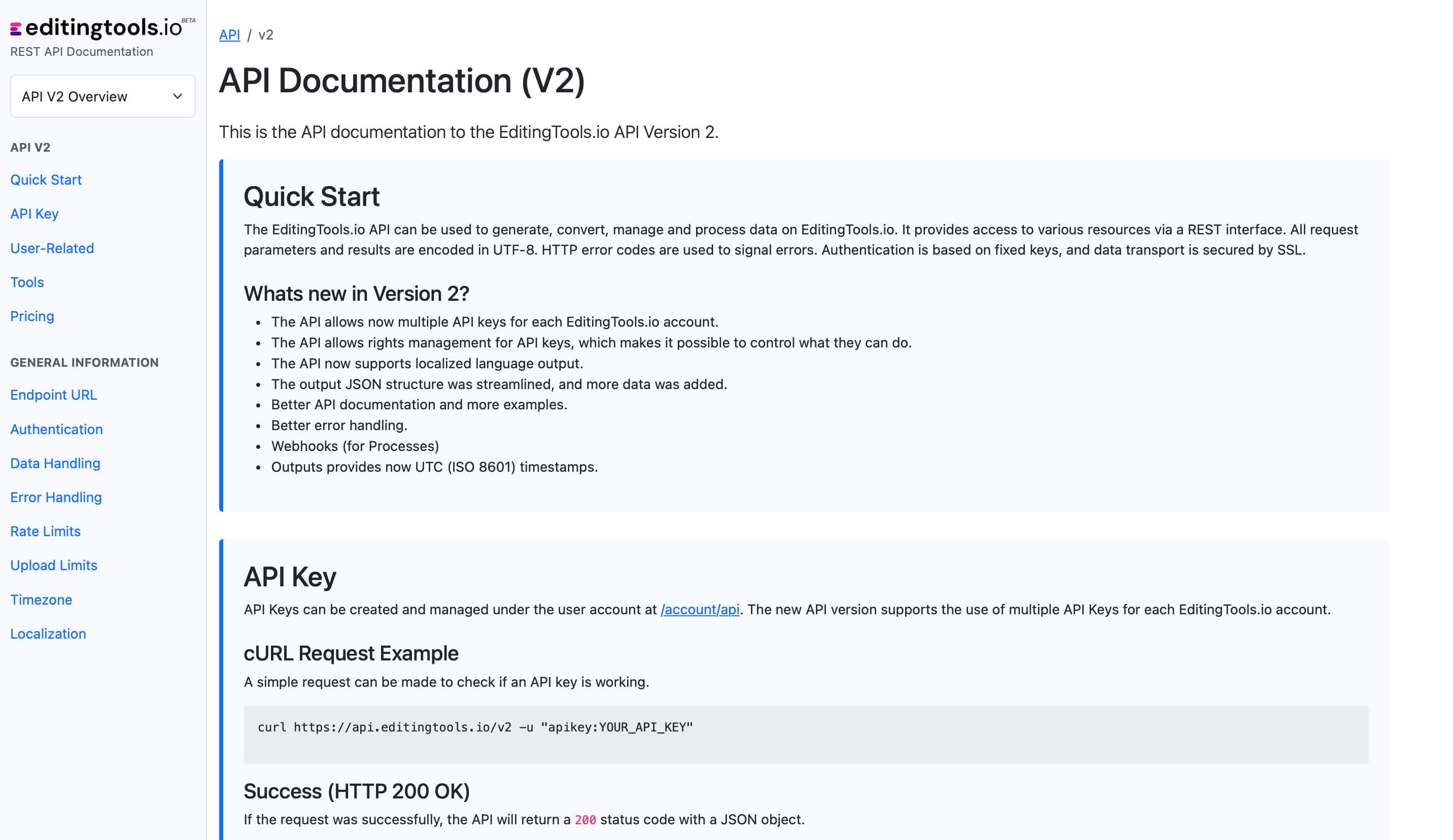
Automatisoi työnkulut API:n avulla

Olitpa sitten kehittäjä tai halusit vain automatisoida enemmän prosesseja Zapierin tai Make-työkalujen kaltaisilla työkaluilla, voit helposti integroida tämän työkalun työnkulkuihisi API:n avulla. Lue lisää REST API:n integroinnista API-dokumentaatiostamme.

API-dokumentaatio